SLF LIVE
  • Guides written by players who still lose games
  • No sponsored scores. Ever.
  • Demo timing guide is up, read it before you go for the bump
  • Gear picks: controller + KBM only. A racing wheel is not RL gear
  • Every setting on this site is one we actually run
  • Club roster: 2 humans, 1 questionable team name
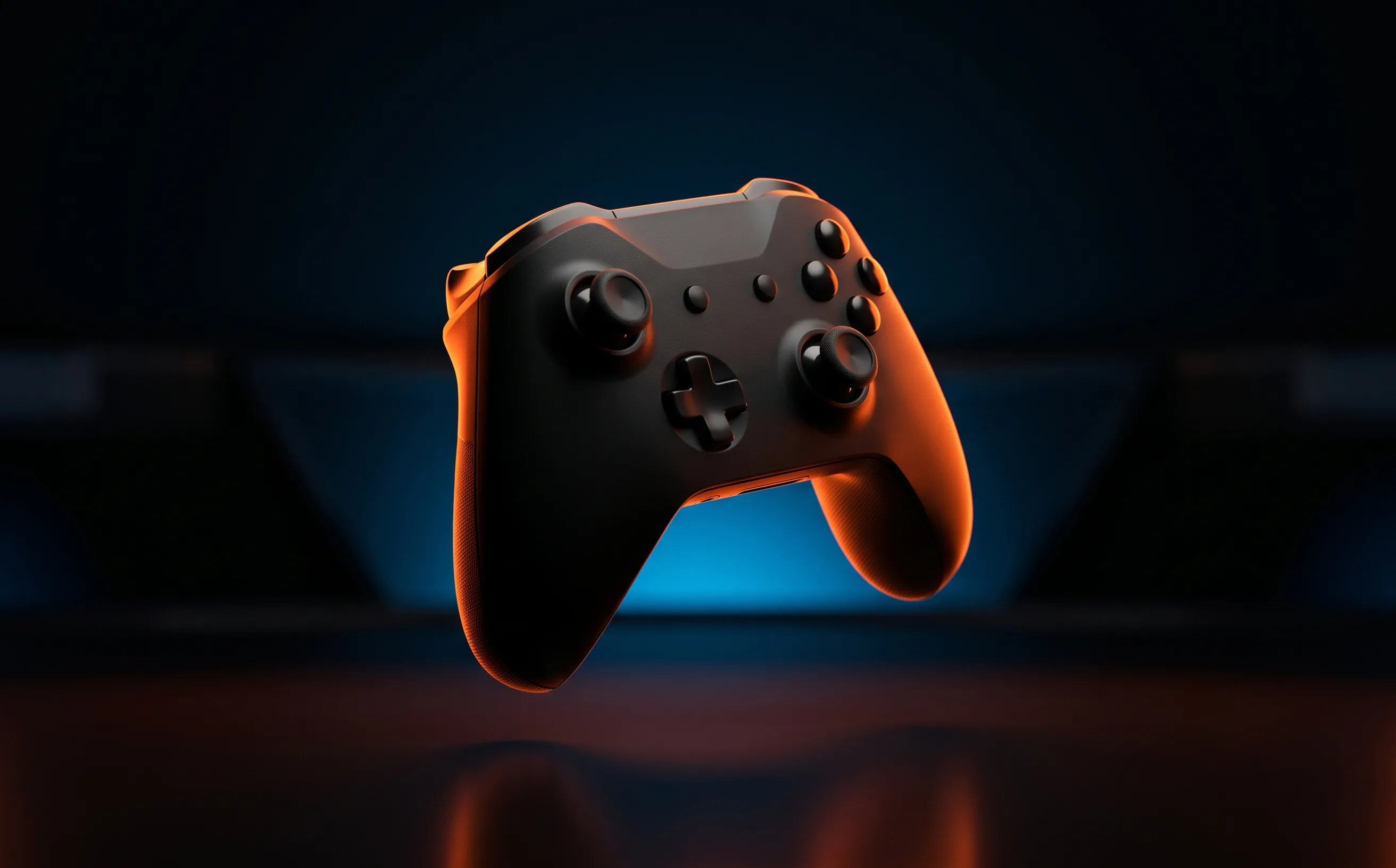
A premium black controller lit by hard stadium light against a dark arena backdrop

Buying guide · 5 tested, 1 catalog

Best controller
for Rocket League.

Trigger travel and stick health decide how a controller plays this game. Paddles, button count and the logo on the shell mostly don’t. Here’s what we’ve tested, what each one is actually for, and the test to run before you spend anything.

Real talk: If your current controller doesn’t drift and can do a clean short boost tap, it is not what’s holding your rank. Run the drift test first. A new controller fixes hardware faults. It doesn’t fix rotation.

Not sure it’s the hardware? Run is it your gear or is it you first. Fifteen minutes, and it’s usually cheaper than anything below.

Quick picks

The short answer

Before you buy

What actually matters

  1. Trigger travel beats everything else

    Boost management lives on 0.1–0.2 second taps. Long, mushy trigger travel turns an intended tap into a hold. Physical trigger stops (Elite Series 2, DualSense Edge) or an instant-trigger mode (SCUF Instinct Pro) make that tap repeatable. That’s the one premium-controller feature that shows up in Rocket League specifically.

    Boost management 101 →
  2. Stick health is the only disqualifying fault

    Real drift injects inputs you never made, and every fine correction fights a phantom one. Measure it before you buy. Mild drift can be hidden with deadzone for a while. Hall-effect sticks remove one wear mechanism but don’t make a stick immune to failure.

    Run the Stick Drift Test →
  3. Your deadzone matters more than your controller

    An oversized deadzone feels exactly like a sluggish controller, and people replace perfectly good hardware over it all the time. Fix the slider before you blame the plastic.

    Controller deadzone guide →
  4. Paddles are a maybe, not a must

    Mapping jump or boost to a back paddle frees your thumb for finer stick control in the air, but only after weeks of deliberate reps. Most players who use paddles map one or two inputs. Four paddles is more than almost anyone uses.

  5. Buy for your platform

    The DualSense Edge is the PlayStation answer; the Elite Series 2 and SCUF Instinct Pro are Xbox controllers that also work on PC. Check the exact listing for platform support and what’s in the box before you buy, because bundles vary.

Tested by us

The picks, with the catch

Best all-round premium8.5/10

Xbox Elite Wireless Controller Series 2

Trigger stop locks shorten boost travel for faster, repeatable taps. Only worth the money if you actually use the locks.

For Adjustable trigger stop locks shorten boost/powerslide travel for faster taps

Catch No Hall-effect sticks, unlike some newer controller options
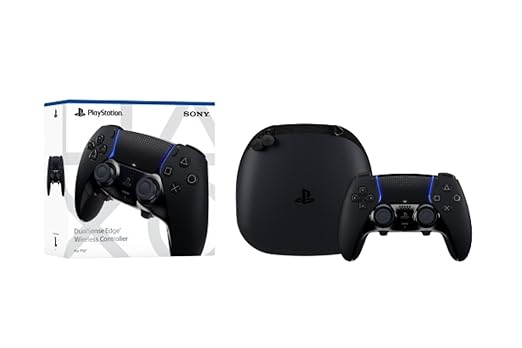
Best on PlayStation8.3/10

PlayStation DualSense Edge Wireless Controller

The same trigger-stop win as the Elite, plus swappable stick modules so a worn stick is a module swap, not a new controller.

For Adjustable trigger stops shorten boost travel, same benefit as the Elite Series 2

Catch Priced identically to the Elite Series 2 for a PlayStation-only audience

Best for stick wear8.8/10

GameSir G7 Pro Wired Controller

Hall-effect sticks remove one drift wear mechanism, with rear paddles, in a wired controller. No physical trigger stops.

For Hall-effect thumbsticks and triggers avoid potentiometer contact wear

Catch Wired-only on the base model reviewed here: check listing variant before buying if you need wireless

Catalog, not tested

Also on the shelf

We list these because they fit the criteria on paper. We haven’t had them in hand, so there’s no score and no verdict: check them against the list above, and check the listing before you buy.

  • CRKD NEO S Rocket League Gold Edition Wireless ControllerA Rocket League-themed wireless controller listed for PC, Switch and mobile, with a charging dock.
    Amazon →

Buy when

  • The Stick Drift Test shows real resting drift
  • Your triggers can’t do a clean 0.15 s tap
  • You’re working on air dribbles or flip resets and tap timing is the bottleneck

Don’t buy when

  • You’re freeplay-fine and match-bad
  • You haven’t touched your deadzone settings
  • A montage made paddles look responsible for a mechanic

Questions people actually ask

What is the best controller for Rocket League?

For most players, the one you already own, if it doesn’t drift. If you’re buying, the Xbox Elite Series 2 is our best all-round premium pick for its trigger stop locks, the DualSense Edge is the PlayStation equivalent, and the GameSir G7 Pro is the pick if stick wear is your worry.

Do you need paddles for Rocket League?

No. Paddles let you keep your thumb on the stick while you jump or boost, which helps fine aerial control once the muscle memory is built. They take weeks of deliberate practice to pay off.

Do Hall-effect sticks stop drift?

They remove one wear mechanism, contact wear on a potentiometer, so they address a common cause of drift. They don’t make a controller immune to failure or guarantee a longer life.

Is a premium controller worth it for Rocket League?

Only if its adjustable controls solve a specific problem you have, usually tap timing on boost. If you’re still working on rotation and boost management, those habits will move your rank further than any controller.